Enjoying Football with iLevel Technology

The football season for the Charlotte 49ers has returned. It kicked off on September 3, beginning with a historical win that I got to experience thanks to iLevel® on my Stretto Power Wheelchair.

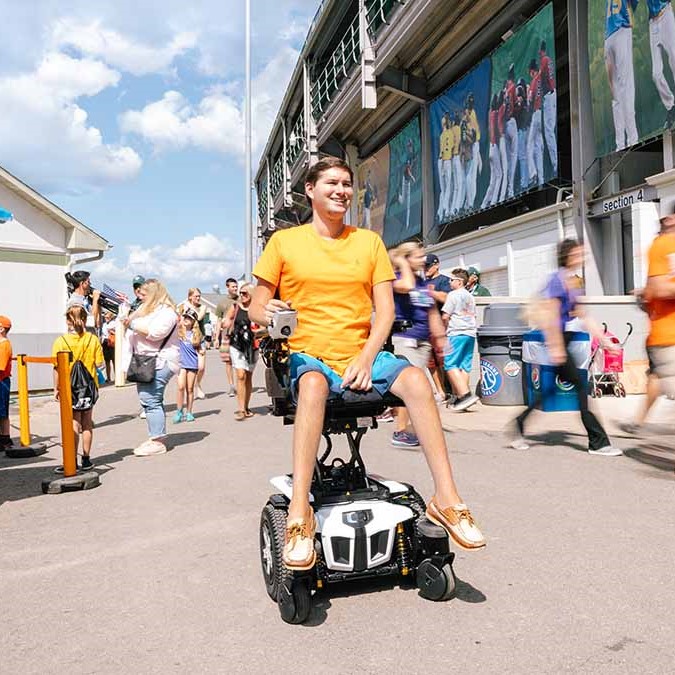
The Duke Blue Devils were the first power-five team to play the 49ers at home inside Jerry Richardson Stadium. I am a student at Charlotte, so this game was all people could talk about, leading up to kickoff time. The stadium was packed for a primetime showdown. My Stretto Power Wheelchair with iLevel allowed me to see over the large crowd, so I could watch all the action on the field uninterrupted. I went with a group of friends, and it was a blast getting to spend time with them while cheering on our team.

Entering the Football Stadium in My Wheelchair

Getting into the stadium was a breeze with my motorized wheelchair, as I was at eye level with the ticket attendant as they scanned my ticket. Before the game, I got some concessions. My Stretto helped me reach the things I wanted and it allowed me to be heard easily as I ordered my food. Sitting in the handicapped section already gives me a great view but raising my motorized wheelchair up 12 inches makes it better. The students in the levels below us stood the whole game to give the team the boost they needed against our formidable opponent.

Talking with People at iLevel

Before the game, I got to see many friends that I hadn’t talked to in close to a year due to the pandemic. Friends from high school and college alike were there, and it was fantastic to get to speak to them at iLevel, as they didn’t need to bend down to talk to me. It was fun reliving old memories with them.
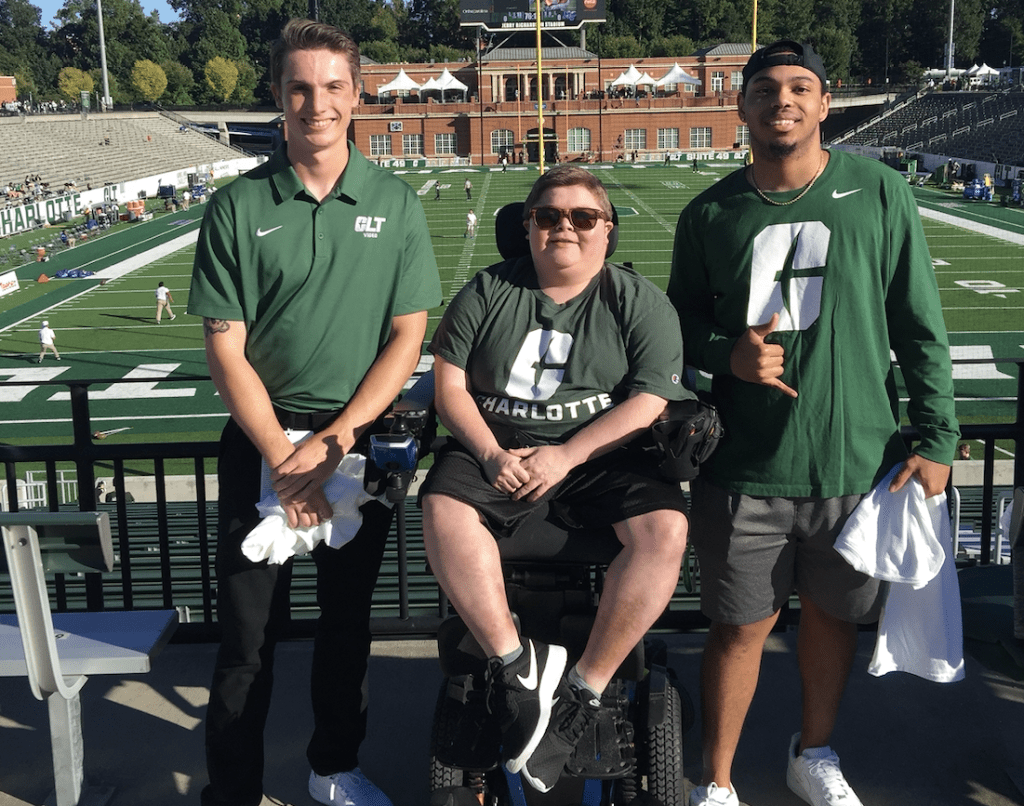
Bryson catches up with his old friends using iLevel on his Stretto Power Wheelchair.

Watching the Game in my Power Wheelchair

The game started, and the 49ers got an early 7-0 lead as fifth-year quarterback Chris Reynolds hit receiver Grant Dubose for the score. The crowd erupted and I had a great view of the score that required an acrobatic catch. Duke bounced back in the second quarter, putting up two touchdowns. The score going into halftime was 14-10, but the 49ers were hungry to get back on the field to reclaim the lead. The 49ers came out strong to start the third quarter with a touchdown early. Reynolds, the quarterback, took the ball himself and dove into the end zone on a one-yard run. The team looked to hang on, heading into the final quarter of play.

The Final Play of the Game

The fourth quarter was back and forth, with both teams gaining leads toward the end of the game. Duke took the lead with 1:44 left in the game, and it would take one more score to seal the game for the 49ers. In the craziest atmosphere that I had ever experienced, Charlotte fed off the crowd to score with thirty seconds remaining in the contest. Charlotte held onto to win, and I got to celebrate surrounded by all my friends. Fans stormed the field while the university shot off fireworks to cap off a history-making victory. It was a great night, made better thanks to my Stretto Power Wheelchair with iLevel.

About Bryson Foster: Bryson is a Friend of Quantum and lives in North Carolina. He advocates and raises funds for the development of treatments for muscular dystrophy. He loves sports and cheers for his favorite basketball team, the North Carolina Tar Heels.


For more great blogs from our brand ambassadors and Q Roll Models, visit lifeatilevel.com today!

Return to the Life At iLevel page
Costumes for Wheelchair Users on a Budget

Halloween is coming! As a mother of three kids, I have learned how to be a savvy shopper and not spend more than $10 per kid.

Easy DYI Halloween Costumes

When my son was young, I put a black sweatsuit on him and blew up a bunch of purple balloons. Voila! He was a bunch of grapes. That same year, my daughter was a fan of any television show that had zombies. I took an old, oversized sweatshirt, cut it in various spots and put brown paint on it to represent dirt. Then I add red paint to represent blood stains, painted her face with black eyes and made her hair extremely messy. She enjoyed that Halloween outfit more than any expensive outfit that was previously gifted to her.

As far as adult costumes, I put my husband in an all-white sweatsuit. I covered him in cotton balls, gave him a top hat and a toy pipe. Just like that, he became a snow man. For myself, I had to be creative. I cut out a cardboard box and placed it across my legs to look like a desk. I put an apple, planner and cup on my cardboard desk. I grabbed my glasses and put a dress on. Just like that, I was a teacher for the day!

Visit Second-Hand Stores

If you lack creativity, both the Salvation Army and Goodwill stores both have items that you can mix and match and stay around $10. The goal is to have fun. Remember, Halloween is just one day out of the whole year. Make the most of it.

Check out your local Dollar and Family Dollar stores and hit up yard sales. You can get great ideas on YouTube, Pinterest, and your local arts and craft store. I am a firm believer that there is no right or wrong when it comes to displaying your artistic talents. The goal is to just have fun.

Trunk-Or-Treat

As my kiddos got older, we moved from dressing up to participating in Trunk-or-Treats at the local schools and community centers. We let the kids pick the theme for the last three years. My youngest son is a huge “Peanuts” fan. We decorated the car with some of his stuffed animals, including Charlie Brown, Snoopy, and Peppermint Patty. He cut up a white pillowcase and placed it over all the characters and they officially became the “Peanut Ghosts.” We won that year for the most creative trunk.

My Costume This Year

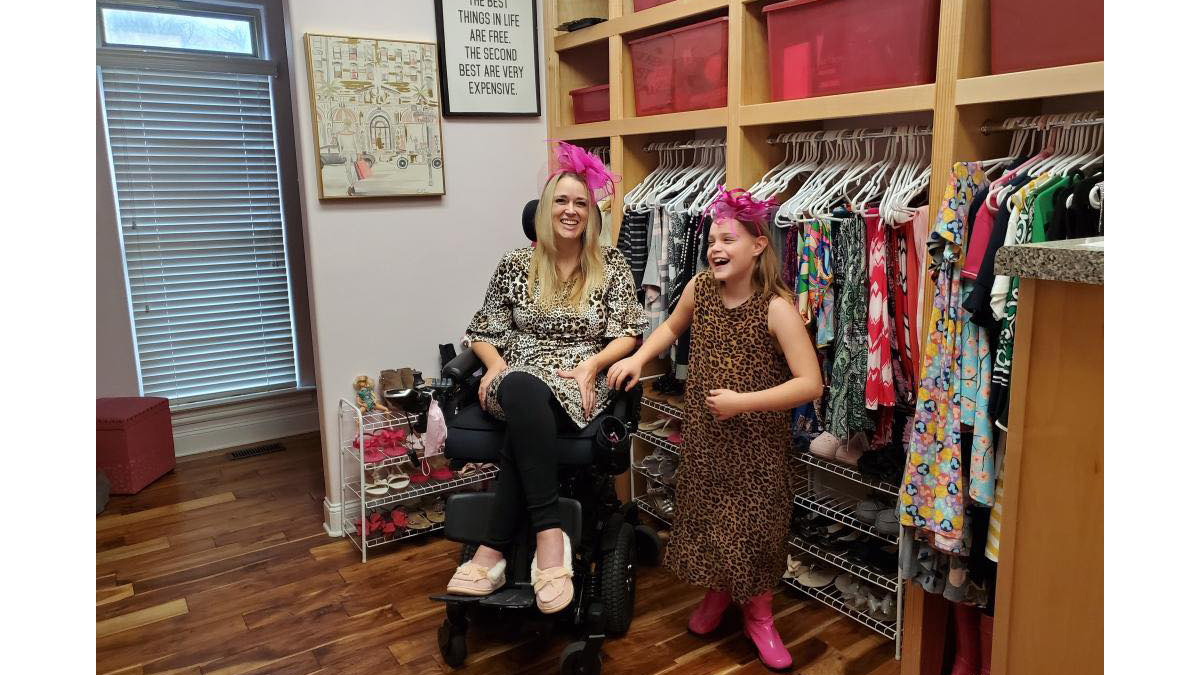
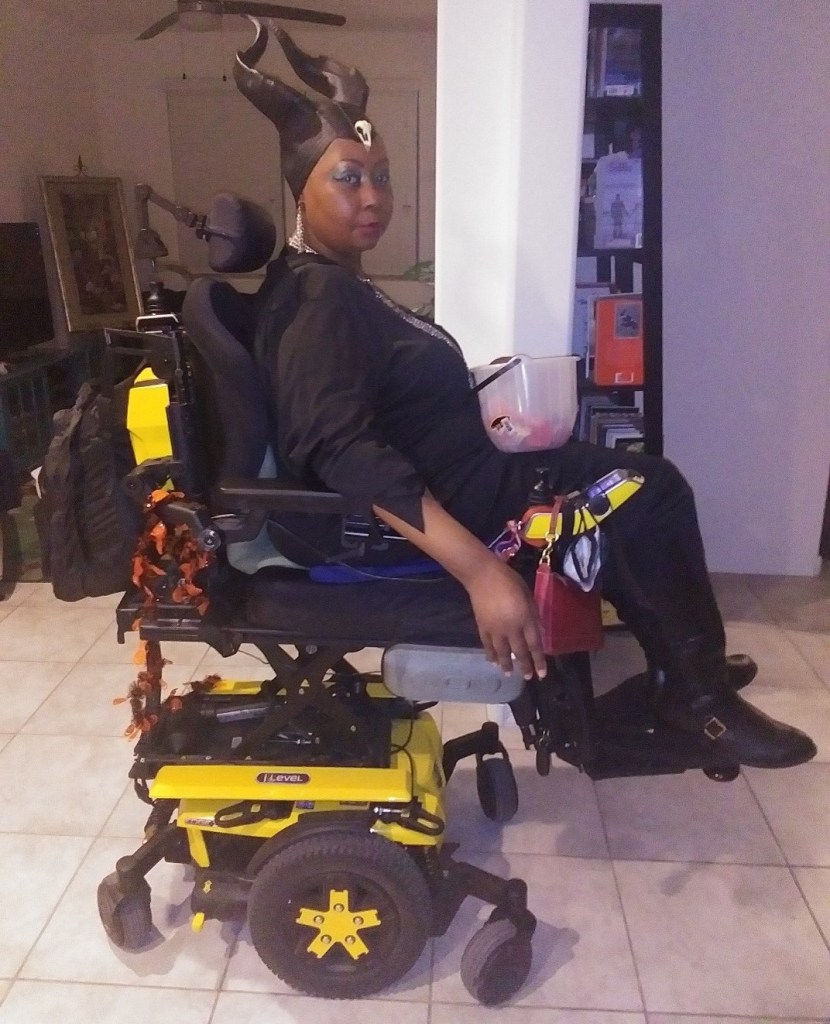
This year, it took a lot to gather the family up and attempt to do something for Halloween. We are still trying to social distance during this pandemic. I had to put together a last-minute costume for myself. I cut up an old black dress and purchased some horns from a yard sale. I created my version of Maleficent also know to my neighborhood as Merlisha the “Mer-lificent.” To limit contact, we passed out candy to the kids in the neighborhood by placing candy bags on the table.

I am always surprised when I pull off something and others like it. It always makes me chuckle when I get a compliment and get to say, “This old thing?”

About Merlisha Henderson: Merlisha uses an Edge 3 Power Wheelchair for mobility and lives in Arizona with her family. As a wife, mother and disability advocate in her community, she stays active and independent, working toward bringing equality and access to all. Click here to learn more about Merlisha.

For more great blogs from our brand ambassadors and Q Roll Models, visit lifeatilevel.com today!

Return to the Life At iLevel page
Our Disabilities aren’t Your Costume

Fall is here and that means that Halloween is right around the corner! With Halloween comes a lot of fun and festivities, such as decorating your house, pumpkin carving, apple picking and most importantly, dressing up on the day itself. Even outside of the world of cosplay, (a community of people who dress up as characters from different medias and typically attend comic/anime conventions, which I have been a member of for the past five and a half years) nearly everyone I know dresses up in a fun costume for this holiday. One of my favorite Halloween activities is to accompany my friends and family to various costume stores to help them piece together their costumes for the holiday! Click here to watch a video of me piecing together my Halloween costume for this year.

Halloween Costumes with Mobility Aids

Chrysanthemum in her Stretto Power Wheelchair

it’s come to my attention that one store has been selling a very specific costume: A “blind referee” costume set, which contains the usual referee white and black striped shirt and black pants, as well as a pair of sunglasses and a white cane. This costume is currently for sale both in store and online. As a cosplayer with disabilities who has been in the costuming scene for a while and is very familiar with this subject, I would like to talk about cripping up for costume purposes: why it’s wrong and why you should avoid it.

What Does Cripping Up Mean?

The term “cripping up” is when a non-disabled person tries to imitate physical characteristics of a disability temporarily to represent a disabled person. A common example of this is a non-disabled actor trying to act out the role of a disabled individual for a movie. This happens a lot in the cosplay/costuming world. Abled-bodied people dress up as disabled characters and adopt certain physical characteristics of their disability into their costume. I see this happen more often than I would like, with wheelchairs being the number one thing implemented for character accuracy. 

Why Cripping Up is Wrong

While part of me can understand why someone would want to accurately represent a character or costume, cripping up isn’t the way to do it. Portraying yourself as having a disability for a costume that you wear temporarily is a big slap in the face to those of us who have to deal with disability 24/7. Sure, by using a wheelchair or other mobility aid with your costume, you might think that you are accurately representing the costume’s source. You get to take that aid off when you are done, however, or whenever it starts to inconvenience you. For a lot of power wheelchair and mobility aid users, we don’t have that liberty. The same goes for acting out characteristics of a disability that don’t require a physical aid.

Portraying Characters with Disabilities

One thing that I stress a lot on my social media pages is that characters are so much more than their disabilities. The consensus in the cosplay community is that if you don’t need a mobility aid yourself (such as a wheelchair), then do not use one in your costume, even if your character has it. You are still just as recognizable as the character you are dressing up as, without being disrespectful and taking a much-needed resource away from someone who may need it for longer than just a few hours for a costume. Also, while using a broken mobility aid for your costume doesn’t take it away from someone who may need it, it still falls under the “you can take it off whenever you want” category. You won’t believe how often us disabled cosplayers deal with that pushback in conversation.

Disabilities and Joke Costumes

Although you have the people who want accuracy in a costume, there are also big problems pertaining to joke costumes. These ones mainly aim to either mock the disabled or use them to get a laugh. With the blind referee costume, their intent with the idea was to play into a pun. I don’t know about you, but when I first heard about this costume my mind didn’t immediately go to “HA good one!” Instead, my initial thought was “Who thought that representing the blind in this way was a good idea and brought it to marketing?”

Disabilities and Stereotypes

Not only did they play into the stereotype that all blind people wear dark sunglasses, but they even included a white cane into the costume. These canes are used to help blind/visually impaired people around their environment, alert others to their condition, and have their own laws written around them. While I am not visually impaired, one of my mutual cosplay friends is, who initially brought this costume to my attention. They felt very uncomfortable and downright disrespected by having their disability represented in a joking matter, specifically aimed at an audience of non-disabled people.

Halloween is approaching fast, and if you want to dress up this year as one of your favorite movie or anime characters who has a disability, please remember that the character is much more than that! If you truly feel that you won’t accurately portray your character without needing to adopt the physical signs of their condition temporarily, then you should choose a different character. Also, steer clear of costumes which play into harmful stereotypes that would further them. Do not give money to the companies who thought making those costumes was a good idea.

Disability is not a costume and should never be treated like one!

About Chrysanthemum: Chrysanthemum is an award-winning cosplayer and Quantum brand ambassador. She enjoys fashion, cosplay and music and has a TikTok channel with over 380,000 followers. Click here to learn more about Chrysanthemum.

Inclusive Play for Wheelchair Users

A few months ago I wrote about my involvement in the brand new accessible playground that we installed in my hometown. The creation of this playground was an incredible group effort that was inspired by one little girl who wanted to ensure that kids with disabilities could participate in the fun on a playground! 

It has been a few months since we began to install the playground, and our town held an official ribbon cutting to present this inclusive playground to the community. Now that it is open for everyone to play on, my husband and I decided to take our nieces and nephew to the park so that we could all play together!

The first weekend in October we had a big sleepover with our nieces and nephews, and to kick off the fun we all walked over to the new playground. This was their first time seeing the playground and their first time playing on an inclusive playground. They loved it! I loved it too, because this was the first time in my life that I have been able to play with my nieces and nephews on playground equipment.

First we tried out the accessible sensory area that has a bunch of musical instruments. My husband loves the drums, but my nephew’s favorite part was the giant xylophone. He loved hitting each bar and feeling the vibrations! 

After that, we went over to the We-Go-Round which is an accessible merry-go-round. People with and without mobility devices can get onto the We-Go-Round and make it spin by pushing on the interior wheel, or by running around it while holding onto a bar. I really loved this the most because spinning was my favorite thing to do on a playground when I was young, and this makes me feel like a kid all over again. It was especially exciting to play on this with my nieces and nephews, and demonstrate to them how much fun an inclusive playground can be. Click here to watch a video.

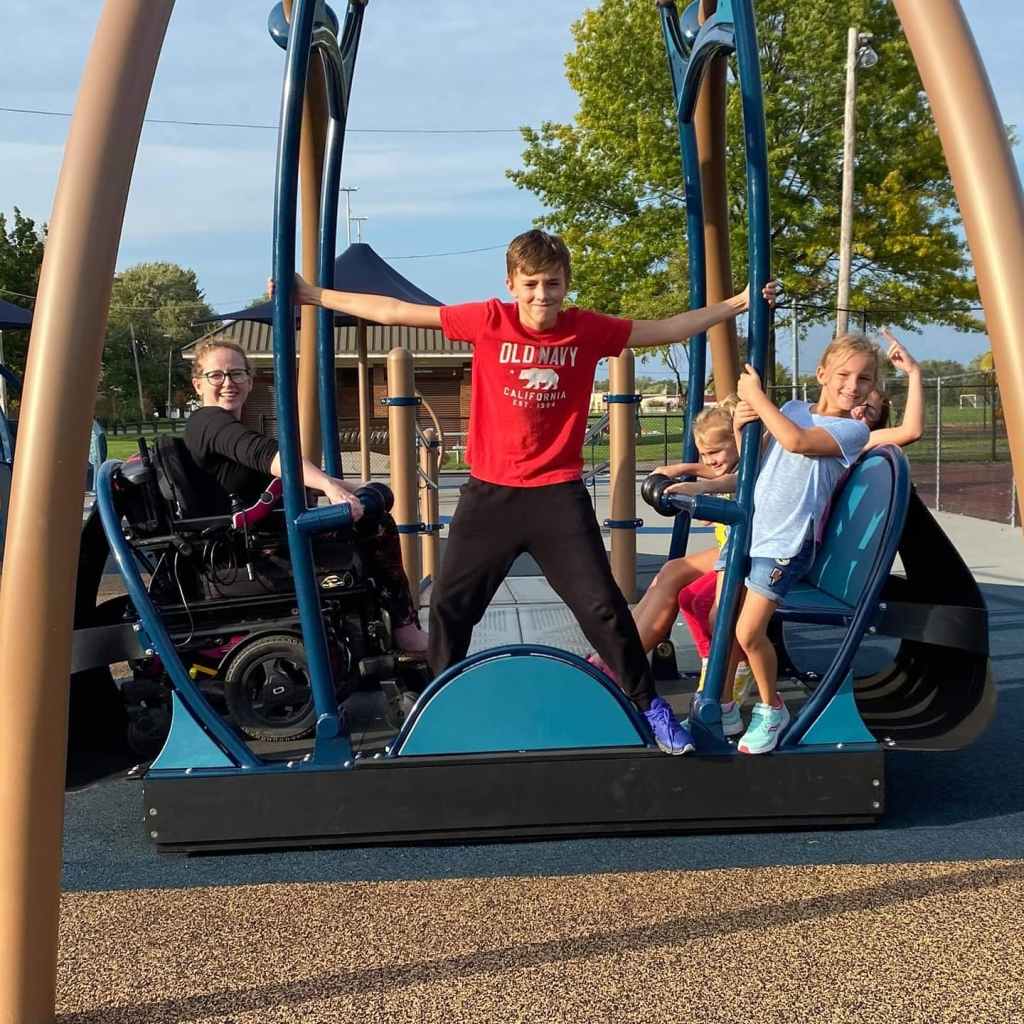
Lastly, we played on the We-Go-Swing which is a multi-user wheelchair accessible swing! I sat on one side as four of my nieces and nephews sat on the other side and we were all able to swing together! Click here to watch a video. It felt incredible to be able to play with them all day and not have to sit out of the fun because of inaccessible playground equipment. 

I hope inclusive playgrounds become the norm for all communities, because kids and adults alike benefit from inclusive fun! 

About Stephanie Woodward: Stephanie is a brand ambassador advisor for Quantum Rehab® and works as a disability rights activist. She has received many awards for helping communities become more accessible, as well as for her actions in fighting for the rights of disabled individuals as it relates to Medicaid and other support services. Click here to learn more about Stephanie.

.ugb-27ddcd5 hr.ugb-divider__hr{margin-left:auto !important;margin-right:auto !important}

Return to Wheel Talk

Baking Sweet Treats with iLevel Technology

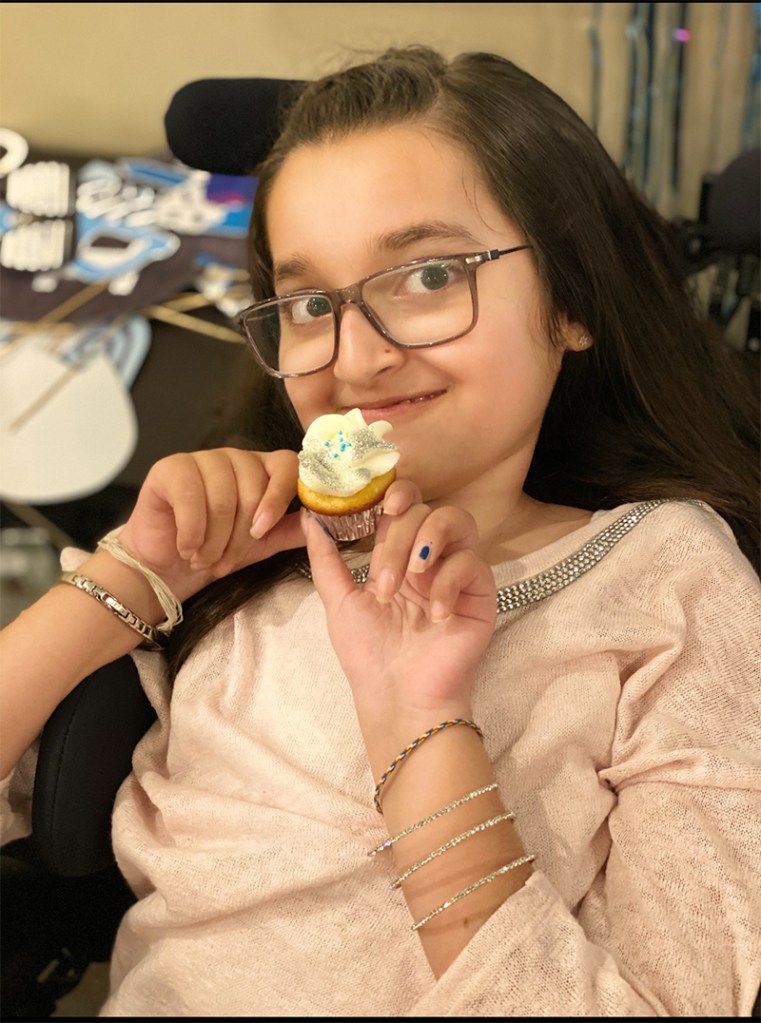
It’s my favorite time of the year again: fall! That means it is officially baking season. The smell of fresh warm baked cookies and crisp apple pies is what I enjoy most! For those of you that know me, you know that I love baking! It’s something I’ve loved doing since I was little. I love making cupcakes, cake pops, cakes, banana bread, cookies, brownies and so much more! I love trying new recipes all the time, especially with the help of my aunt Khatija, who has her own baking business! She has been so great whenever I need help with recipes and ingredients. She always sends me the coolest baking tools and ingredients to make new things! Anytime I need help, I can just give her a call and she’s always willing to help me out.

When I was three years old, my mom helped me make my own birthday cake for my birthday party. I’ll never forget it. It was a red velvet cake with cream cheese frosting, strawberries, and coconut shavings. All my friends and family always talk about how much they loved that cake and ask me to make for them.

Using iLevel Technology When Baking

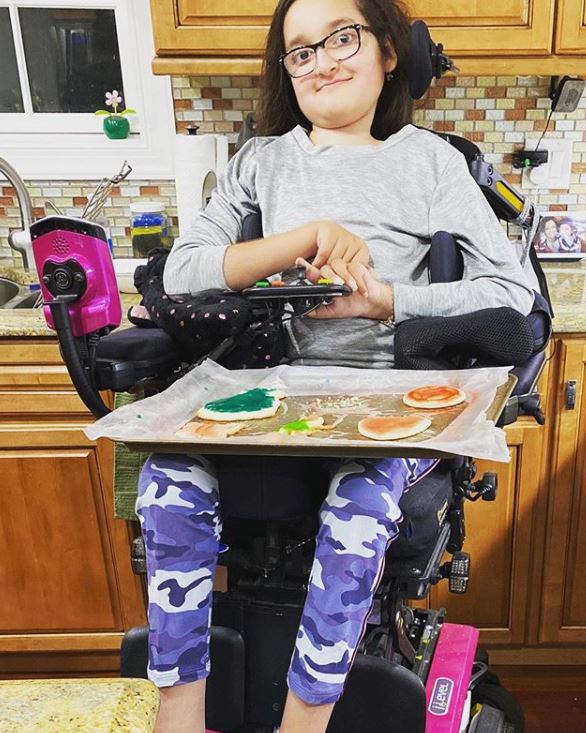
Before I had my Quantum Edge 3 Power Wheelchair with iLevel® technology, my mom brought the mixing bowl down to my lap while I mixed the batter or dough. Baking at such a young age, you can only imagine the mess that I made. I couldn’t reach anything myself, so she had to do most of the baking and I watched. I still enjoyed it, but there was always a part of me that wished I could do more.

Now that I have iLevel, I can elevate my motorized wheelchair to the height I need to be and reach the counter to mix the batter. I can roll the dough and open drawers to get supplies. I can reach the fridge to get eggs and milk, check the oven, and the most fun of all, decorate my creations by myself. Before iLevel, I needed help with everything. For someone who loves to bake, having a power wheelchair with iLevel technology changed everything for me. I can be independent and bake mostly on my own, making a cake for my dad’s birthday from start to finish.

Baking for Spinal Muscular Atrophy Fundraisers

One thing that means a lot to me is now I can bake for fundraisers at my school or for SMA events. It’s my way of being involved and helpful, which means so much to me. Being independent also really helps when my friends are over and we decide to bake something. I know where everything is in my own kitchen, so I roll up to the pantry and take out the supplies I need. After dinner, our parents are usually surprised at how quickly we can make a sweet treat for everyone to enjoy.

As you can see, I am so grateful to have iLevel on my motorized wheelchair so that I can enjoy doing what I love the most…baking!

About Sakina Shamsi: Sakina lives in New Jersey with her parents and brother. Although she has spinal muscular atrophy type II, Sakina lives a full and independent lifestyle. She is active in the disability community and enjoys horseback riding, baking and crafting. Click here to learn more about Sakina.


For more great blogs from our brand ambassadors and Q Roll Models, visit lifeatilevel.com today!

Return to the Life At iLevel page
Raising Awareness for Disability Employment

October is National Disability Employment Awareness Month, a month that raises awareness, celebrates the contributions of workers with disabilities and educates about the value of a diverse workforce, inclusive of the skills and talents that disabled people bring.

As part of National Disability Employment Awareness Month, it’s important to recognize the assistive technology that helps people with disabilities participate in the workforce. For me, my wheelchairs throughout my life have enabled me to be successful in all the work that I do. If not for my wheelchairs, I would not be able to perform the duties of the various jobs that I have held. Furthermore, since having access to iLevel® technology, my participation in the workforce has only increased. 

Here are a few ways that my iLevel power wheelchairs have helped me to participate in the working world:

Presentations

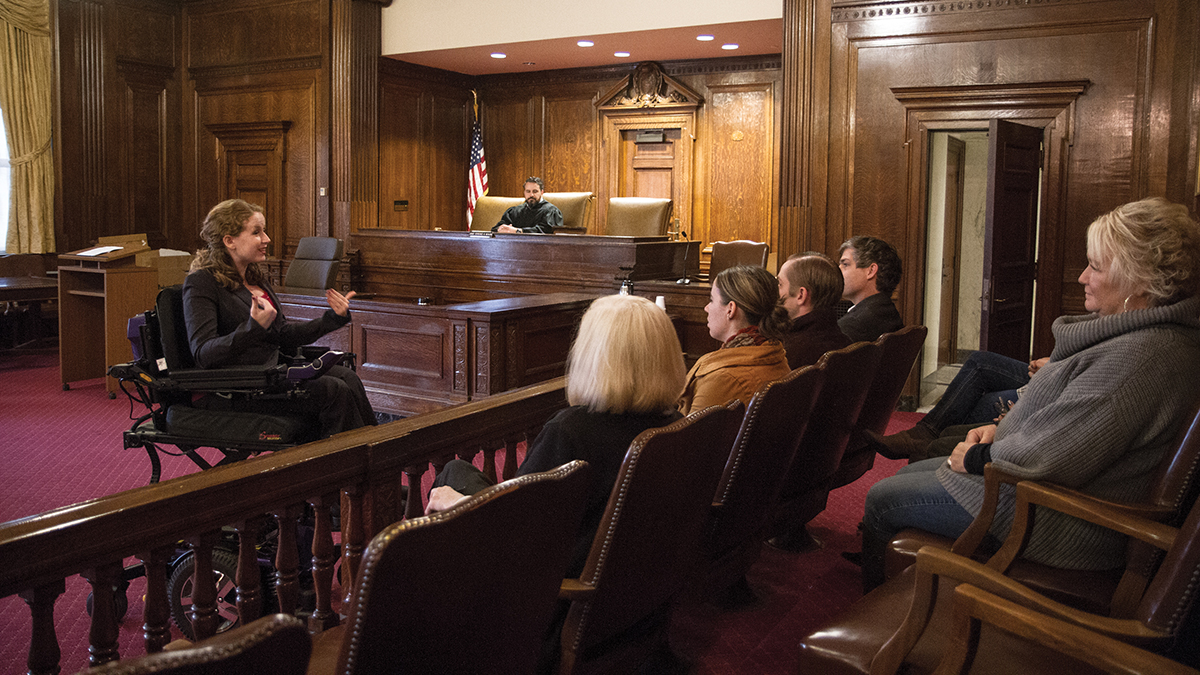
Whether I am giving a closing argument to a jury in a court case or giving a keynote speech to an audience of 600 people at a conference, one thing remains the same: I want my audience to see me. 

I believe there is power in presence. The more visible you are to your audience, the more opportunity you have to engage them (of course, this does not apply to Blind folks in the audience). Being able to raise my power wheelchair twelve inches allows me to be more visible to anyone that I am presenting to. It allows a jury to look at me, not look down to try and see me. It also allows the people in the back row of a conference to see me when I am presenting. I present in many different forums and have found that iLevel technology helps me in all of them. 

Teaching

I am an adjunct professor at a local college where I teach about person-centered planning and serving people with disabilities. In a class of 30+ students, it’s important to me that my students can see me when I’m teaching, and that I can see them too. When I can see all of my students, I can tell from facial expressions if someone is confused and I can also see someone who is shyly half-raising their hand when they have a question.  iLevel also allows me to reach more of the whiteboard so that I can share more information and ideas with my class in a written form. I am always at iLevel when I am in the classroom and truly believe that having iLevel helps students engage with me more. 

Networking

Networking is key to opening doors to new opportunities. As a lawyer, I love to network to learn about new areas of law and meet attorneys who practice in different areas. This allows me to refer people to the right sources if I cannot help them with a particular area of law. As a nonprofit founder and executive director, networking allows me to tell more people about my organization’s mission and meet people who may be just as passionate about empowering girls with disabilities as I am. 

I have found that networking events are a lot easier to navigate when I am at iLevel. Without iLevel, I was at waist height, which made it very easy for people to look over me. Not anymore. Now people look directly at me, resulting in more conversations with new people.

About Stephanie Woodward: Stephanie is a brand ambassador advisor for Quantum Rehab® and works as a disability rights activist. She has received many awards for helping communities become more accessible, as well as for her actions in fighting for the rights of disabled individuals as it relates to Medicaid and other support services. Click here to learn more about Stephanie.

.ugb-0dfd4a2 hr.ugb-divider__hr{margin-left:auto !important;margin-right:auto !important}

Return to Wheel Talk

Return to Life At iLevel

4Front® 2 Named HME Business 2021 New Product Award Winner

HME Business magazine has named the 4Front® 2 Power Chair one of the winners of its 2021 New Product Award contest. The 4Front 2 won in the Mobility – Power & Manual Wheelchairs category.

The HME Business New Product Award honors outstanding product development achievements by HME manufacturers and service providers. Entries are reviewed by a panel of provider judges selected for their expertise in various product categories.

Winners will receive awards and are featured on the HME Business website. They will also appear in the November/December 2021 issue of HME Business magazine.

“This year’s edition of our annual awards program was wild, as we had a lot of neck-and-neck competition between lots of entrants in some specific categories,” said David Kopf, HME Business Publisher and Executive Editor. “We saw that in particular with accreditation, specialized business technology solutions, power and manual wheelchairs, and in-home respiratory equipment. “So there was a lot of judging to be done by our panel of HME provider judges. And of course, I want to congratulate our winners and extend my appreciation to all the vendors for sending in their entries. The result is an awards program that showcases some great solutions.”

How I Educate Children About Disabilities

Every year, the first week of October is National Disability Employment Awareness Month. As somebody who has a disability, I am very blessed and honored to speak on this to commemorate the many contributions and achievements of disabled individuals in the workplace.

Speaking to Kids

Every year, I get invited to my local elementary school that I once attended. The school principal invites me to speak to the kids and staff about disability awareness. This is the one event I truly get excited about every single year. It just means more to me when you can educate the individuals in your community. I feel that I am truly paying it forward for the next generation, so that they’re aware that everybody is considered equal, and everybody should be given a chance to succeed if they want to put the effort into their career.

Demonstrating My Power Wheelchair to Them

Josh in his Edge 3 Power Wheelchair

My elementary school includes students from first grade to six grade, so the kids are relatively young. I always change up my speech to accommodate the age group. Normally when I do a speech, I go on for 45 minutes and I have a preplanned idea of what I’m going to say with no filter. With little kids you cannot do that because there’s always going to be a curveball, such as somebody talking out loud, that’s going to disrupt you. So, I make it fun for the kids and as interactive as possible. I invite the kids to come up and look at my power wheelchair and touch it. This can break down the awkward barrier that some kids when they’re around someone who has a disability. Most kids like the Bluetooth® technology and the speedometer on my motorized wheelchair. They like the different modes on the Q-Logic 3 joystick.

This year I was asked so many different questions, such as why I can’t walk or how I go to the bathroom. It was really amazing that the kids were so open and not afraid to ask questions, even though some of them were personal.

After my speech, a lot of the kids wanted to come up and talk with me. One of the teachers invited me into his classroom because they were doing a project where the kids had to cut out wheelchairs that they had drawn. I was very thankful to go into the classroom and go more depth as to the differences between a manual wheelchair and a motorized wheelchair like my Edge® 3 Power Wheelchair with iLevel®.

I think the biggest gift you can give is to help educate the next generation. I truly enjoy when I can educate kids about disabilities and sometimes what you say gives the adults something to think about as well.

About Josh McDermott: Josh is a brand ambassador for Quantum Rehab®. He is a public speaker and has served as a goodwill ambassador for the Muscular Dystrophy Association. Josh lives in New York and loves to travel. Click hereto learn more about Josh.

For more great blogs from our brand ambassadors and Q Roll Models, visit lifeatilevel.com today!

Return to the Life At iLevel page
Top Hidden Features on My Stretto Power Chair

My Quantum Stretto Power Wheelchair has so many great features! Some of them stand out and everyone knows about them. There are some features, however, that are hidden. Recently, I did a video countdown of the top five hidden features on my Stretto. This blog post breaks down each feature and includes links to the videos. 

Number 5 – Front and Rear LED Fender Lights

The Stretto Power Wheelchair comes standard with front and rear LED fender lights.  These LED lights are SO bright. They are handy to have in variety of situations. If the power goes out at your house, no need to hunt for a flashlight because these lights illuminate an entire room. Rolling through a dark parking garage at night? No problem! These lights allow for easy navigation to your desired destination. Click here to watch the video.

Number 4 – Two post armrests

There are several armrest options for the Stretto Motorized Wheelchair. I have always preferred the two-post armrests. There is a convenient pouch attached to the two posts on the armrest. These pouches allow storage for small items, such as a phone charging cord, keys or tools for your wheelchair. The thing I love the most about these arm rests is that they almost close in the space next to my wheelchair cushion. Because of this, I can store my wallet and not worry about it falling between the armrest and the cushion. Click here to watch the video.

Number 3 – Independent SRS (Smooth Ride Suspension)

When you use a motorized wheelchair for 18+ hours of your day, comfort is one of the top requirements. While suspension might not be the first thing that comes to mind when thinking about comfort, I promise that once your tires hit gravel you will understand. Thanks to independent SRS on my Stretto, I can race my daughter down a gravel driveway or through a field without feeling like I will be tossed from my wheelchair. The independent SRS has increased shock absorption, which also allows for a smooth transition over thresholds. I am grateful to Quantum’s R&D team for considering comfort through their design of independent SRS. Click here to watch the video.

Number 2 – USB Charger 

I must confess: I had the USB charger for my Stretto Power Chair for months before I actually used it. Just call me a creature of habit. I have a charging brick that I always use and didn’t feel like the USB charger on my power chair was really necessary. Boy, was I wrong! One day my charging brick AND my cell phone were dead so I gave the USB charger on my power chair shot. What a MAJOR game changer!  I now have the convenience of charging my phone (or any other USB powered device) directly from my power wheelchair. My phone charges so much fast using the USB charger and it doesn’t drain the batteries on my Stretto wheelchair! If you don’t already have the Quantum USB charger, I highly recommend getting it today. I promise you will thank me for it! Click here to watch the video.

Number 1 – iLevel® technology

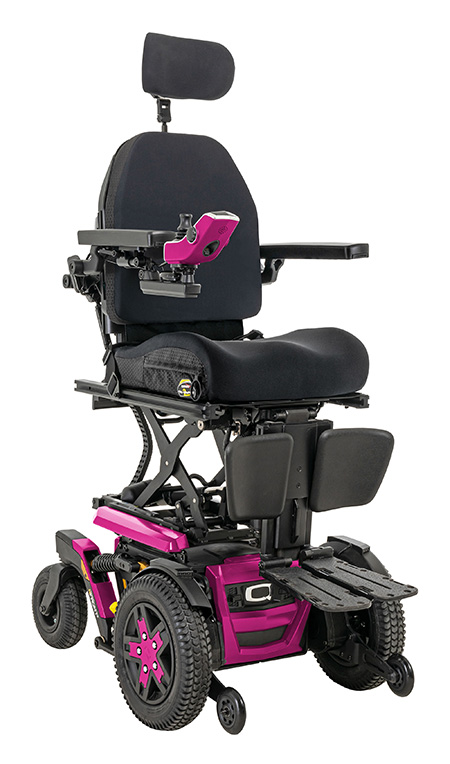
Let the trumpets sound and the drums roll for this number 1 feature. By far and hands down, iLevel is absolutely the most fabulous feature on my Stretto! The iLevel technology allows me to raise my wheelchair seat 12 inches so I can truly see the world at eye level. This amazing feature allows me to navigate life like never before. But wait, there’s more! I do not have to depress a button the entire time my wheelchair is raising up or down. It is literally ONE touch of the button and I can continue rolling while my wheelchair raises the full 12 inches. Or if I only need to raise up a few inches, I just touch the button once more and it stops. iLevel with one touch is completely amazing and life changing! Click here to watch the video.

About Bliss Welch: Bliss is a Quantum® brand ambassador and Ms. Wheelchair Tennessee 2013. Bliss is actively involved in the disability community. She enjoys traveling and spending time with her daughter. Click here to learn more about Bliss.

.ugb-325acae hr.ugb-divider__hr{margin-left:auto !important;margin-right:auto !important}

For more great blogs from our brand ambassadors and Q Roll Models, visit lifeatilevel.com today!

It’s Time! PQ-365 App Update Now Available

Pride Mobility and Quantum Rehab have released an update to the PQ-365 app that offers new features to help providers save time.

New features include:

  • Quantum order tracker
  • Barcode scanner
  • Fault code search
  • Favorites section
  • Single sign on
  • Recently viewed products

With the new Quantum order tracker, providers can view the life cycle of an order and track its status, from assembly to quality control to shipping. This can significantly reduce the amount of time a provider spends on the phone with Sales. 

The single sign on feature also decreases valuable time lost. Providers can simply log into the app using their PQ-365.com login credentials and access all the restricted areas of the app, without having to enter the passwords.

The barcode scanner is a helpful tool for technicians in the field. They can use the app to quickly scan the barcode on a part of a chair and view the information for it. The fault code search is another great time saver, allowing technicians to quickly look up what a fault code means when troubleshooting in the field or at the office.

When providers or technicians use content in the app frequently, they can add it to their Favorites list, allowing them to pull it up quickly. The recently viewed products feature is another fast way to access product information with just a few taps.

“We are excited to take the PQ-365 app to the next level,” said Kate Pencek, Senior Director of IT & Enterprise Architecture. “When we first launched, PQ-365 served as a central repository for everything Pride and Quantum for providers and clinicians. We’re taking that one step further by adding features that can shave off valuable minutes during their day.”

According to Jeff Distasio, Senior Director of Pride Sales, these new features in the app make it easier than ever to do business with Pride and Quantum. 

“This latest update has enhanced PQ-365 in many ways,” said Jeff. “Instead of a provider calling us to get the status of an order, they can use the app to quickly look up the order. Providers and their technicians can also look up a serial number and see all the information regarding that specific unit. These features make the app an important tool, helping mobility product professionals save time and be more successful.”

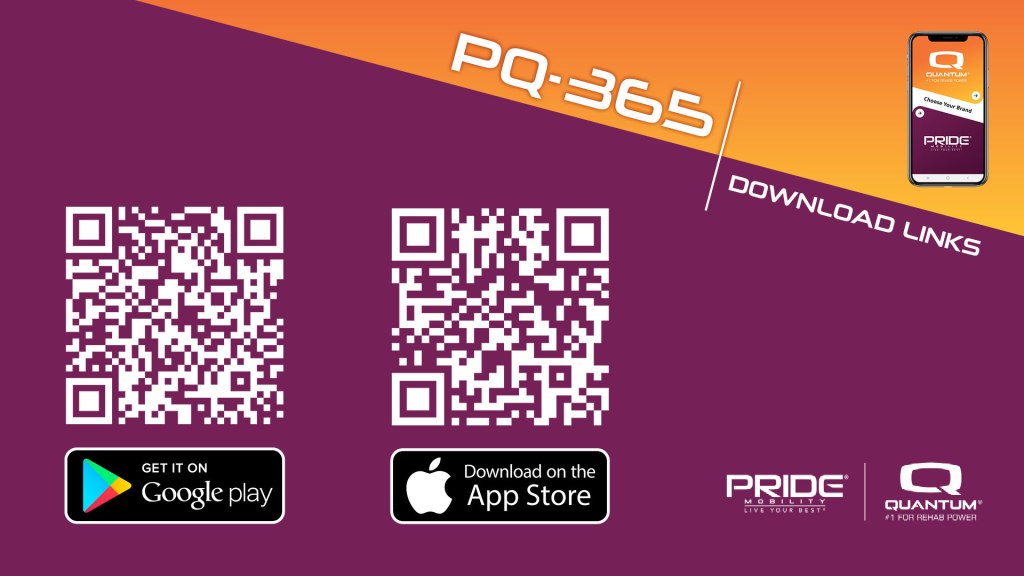
The PQ-365 app is available for download via the App Store and Google Play. Those who already have the app installed will receive an app update to download the new version.


Return to News